
Fine Lock (only for Samsung)
YUH APPS
Downloads
10,000,000+
Source
Google Play
Advertisement
Click to download now, finish the installation quickly, and directly unlock the all-round experience
Advertisement
Screenshots
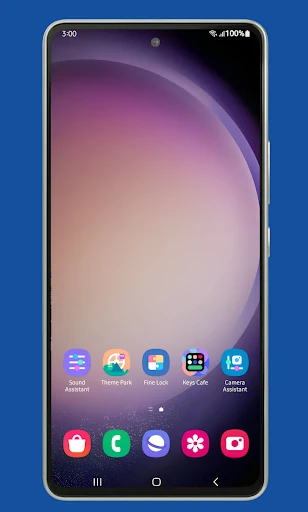
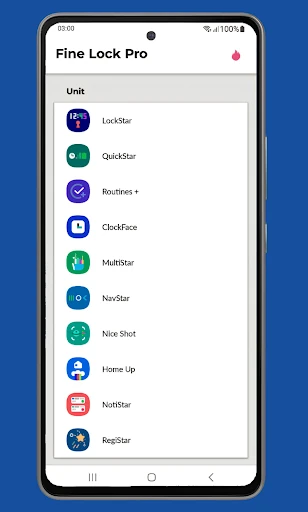
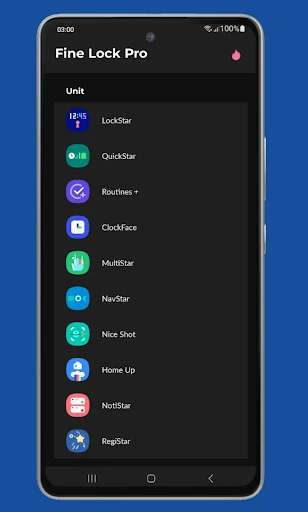
Click to download now, finish the installation quickly, and directly unlock the all-round experience
Fine Lock is a Samsung-focused launcher for Good Lock and Galaxy Labs modules. It gives users a place to open supported modules that may not appear in the regular app drawer. The app is for Samsung owners who want to reach these customization tools from one interface; it does not itself provide every module’s features.
Fine Lock can check for updates to installed modules, create home-screen shortcuts to modules, and hide modules that are not installed. It also supports changing the wallpaper to match the device’s Dark or Night mode schedule. These functions help organize access, but the modules remain separate apps, so Fine Lock is most useful to people who already use or plan to use them.
Its scope is limited to Samsung devices. If you do not use Samsung hardware or have no interest in Good Lock and Galaxy Labs modules, the app is unlikely to be useful. Check the module’s own availability and compatibility as well as Fine Lock’s listing before relying on a particular customization.
The listing names YUH APPS as the developer and places Fine Lock in Personalization. It shows a rating of 4.654804 from 54,361 ratings and 10,000,000+ installs. Those figures describe the listing’s displayed rating and reach; they do not establish whether a specific module will work on your device.
Before deciding, open the public listing alongside this one and check that the developer, rating, rating count and install figure match. Then confirm that Fine Lock’s Samsung-only focus fits your device and that the modules you want are available for it. The useful question is not whether the app promises broad customization, but whether its listed role—organizing access to separate Samsung modules—matches what you need.